VPC Traffic Flow and Security
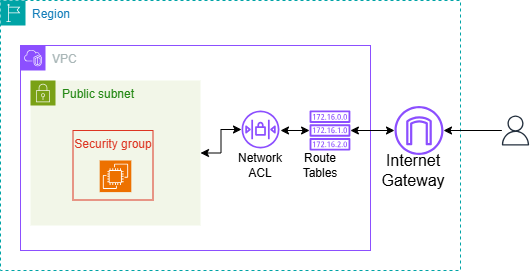
In this project, I used Amazon VPC to create a my own reserved section on the AWS cloud network. Then added route tables to direct traffic within the this private network and used security groups and ACL as security checkpoints for all traffic going in and leaving the network.
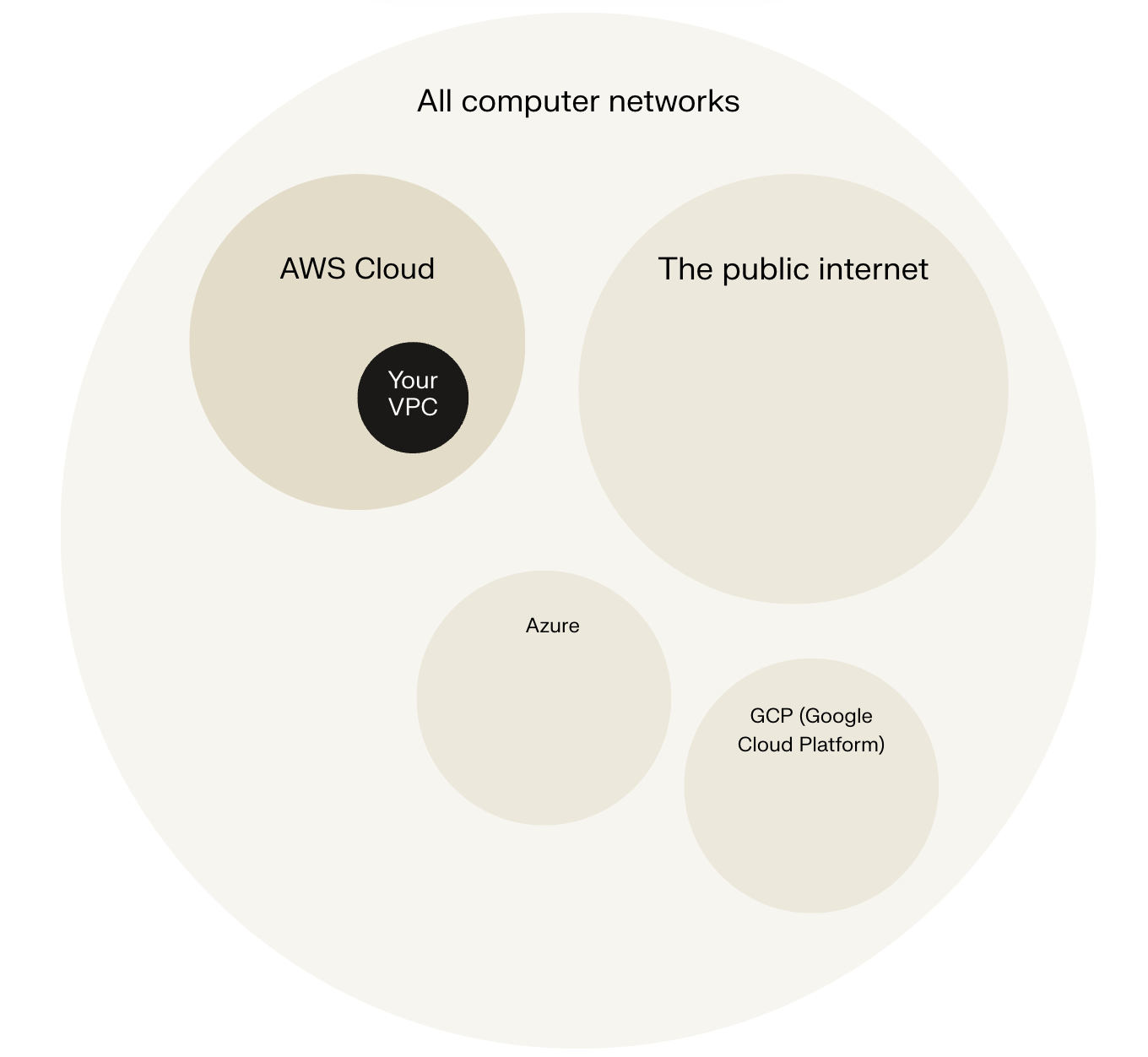
If we imagine your AWS Region as a country, a Virtual Private Cloud (VPC) is like your own private city inside that country. You can design neighbourhoods (known as subnets, which you'll learn about in this project), traffic rules, and security measures to control how resources, like EC2 instances and databases, connect and work together.
Route tables
Think of a route table as a GPS for the resources in your subnet. Just like a GPS helps people get to their destination in a city, a route table is a table of rules, called routes, that decide where the data in your network should go.
Every subnet in your VPC needs to be linked to a route table, because the table tells your subnet's traffic where to travel to send and receive data. For example, if you have a web server (i.e. an EC2 instance) hosting a website, the EC2 instance's subnet needs a route table that knows how to direct incoming traffic to the website.
Routes tables are needed to make a subnet public because when a subnet's route table has a route that directs internet-bound traffic to the internet gateway, the subnet becomes a public subnet. This means your subnet can communicate with the internet. To let your subnet use an internet gateway, its route table must have a route that directs internet-bound traffic to the internet gateway.
Route destination and target
Routes are defined by their destination and target, which mean:
- Destination - IP address range that traffic wants to reach
- Target - path that traffic will have to take to reach destination
-- Igw-xxxxx: traffic is routed to the internet via internet gateway
-- local - traffic stays within the VPC, allowing internal communication between resources.
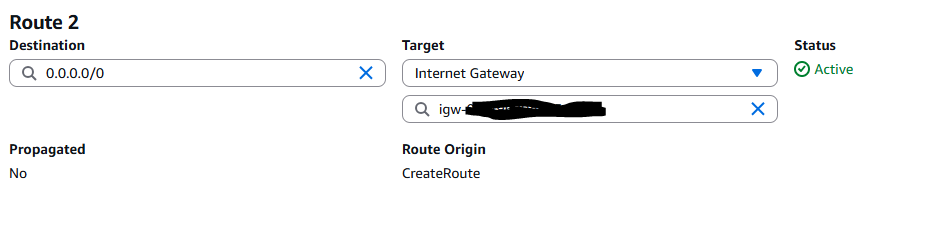
The route in my route table that directed internet-bound traffic to my internet gateway had a destination of 0.0.0.0/0 (created a default route) and a target of the internet-gateway attached to the VPC.
Security groups
In your VPC, Security groups act as a security checkpoint, or security guard, at the entrance for each building (resource) in that neighbourhood (subnet). Every resource has to be associated with a security group. Therefore, rather than attaching them to your VPC or a subnet, they must be attached to resources within your VPC/subnet.
Like any security checkpoint worth their grain of salt, security groups are responsible for checking the traffic that enters and leaves your VPC. They enforce strict access-control rules based on IP address protocols, and port numbers.
Inbound vs Outbound rules
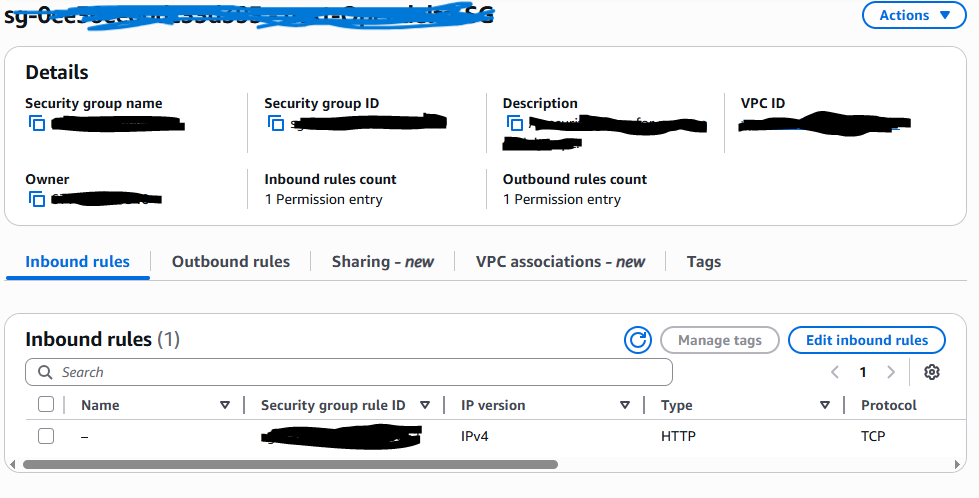
Inbound rules control the data that can enter the resources in your security group. I configured an inbound rule that any IP address to access my public subnet. This is typical and necessary for public subnets, since this setting makes sure that anyone on the internet can access your public resources.
Outbound rules control the data that your resources can send out. By default, my security group's outbound rule allow all outbound traffic. So unless specified otherwise, any resource associated with the security group can access and send data to any IP address - whether it's in your VPC, other VPCs (if you have the right permissions) and on the public internet!
Network ACLs
Security groups are basic security rules but network ACL adds an extra layer of security to your VPC and its resources. Network ACLs can be considered traffic cops stationed at every exit and entry point of your subnet, to check each data package against a table of ACL rules before allowing them to proceed.
Network ACLs are responsible for inspecting and managing these data packets as they enter and exit your VPC’s subnets, ensuring only authorized data enters and leaves.
Network ACLs are different from security groups in that they are used to set broad traffic rules that apply to an entire network. While security groups allow for more granular control, managing access to an individual resource. Having both security group and network ACLs is a great security practice as this is provides dual layer security and traffic must pass multiple checkpoints, which reduces the chances of unwanted access.
Security groups vs. network ACLs
Network ACLs are different from security groups in that they are used to set broad traffic rules that apply to an entire network. While security groups allow for more granular control, managing access to an individual resource.
Default vs Custom Network ACLs
Similar to security groups, network ACLs use inbound and outbound rules. By default, a network ACL's inbound and outbound rules will allow all inbound and outbound traffic. In contrast, a custom ACL’s inbound and outbound rules are automatically set to deny all inbound and outbound traffic.

Tracking VPC Resources with EC2 Global View
I created an additional VPC, an internet gateway, and a security group. Instead of my usual region, I used a different region to replicate real-world application deployments for applications that operate globally. Teams would use multiple regions to improve latency for their end users, which means applications run faster because resources are physically closer to the users' location. Additionally, protect themselves from natural disasters and other risks - if one Region experiences an outage, other Regions can maintain operation.
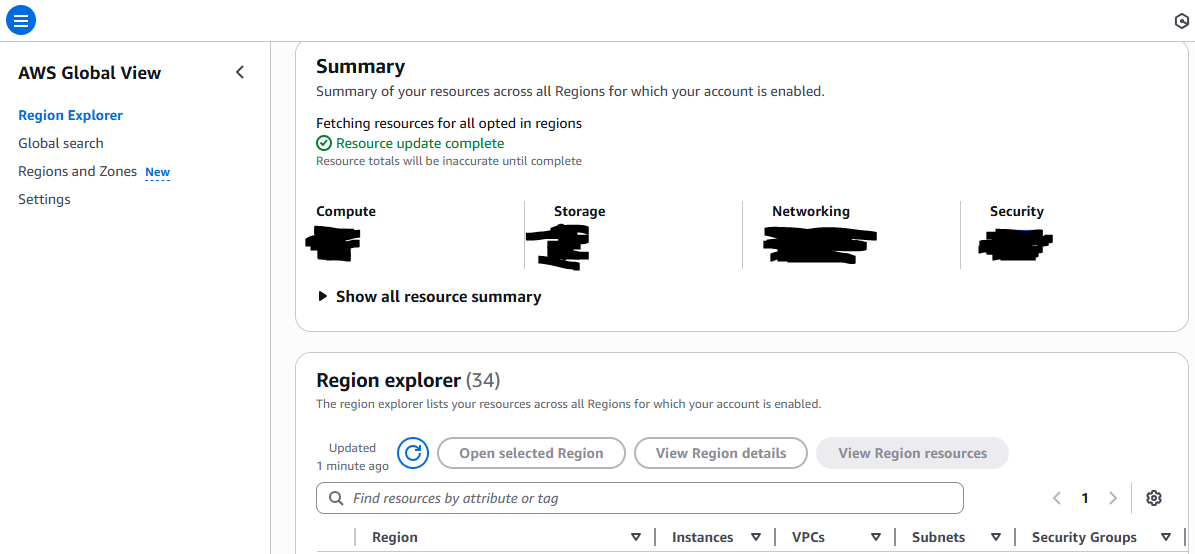
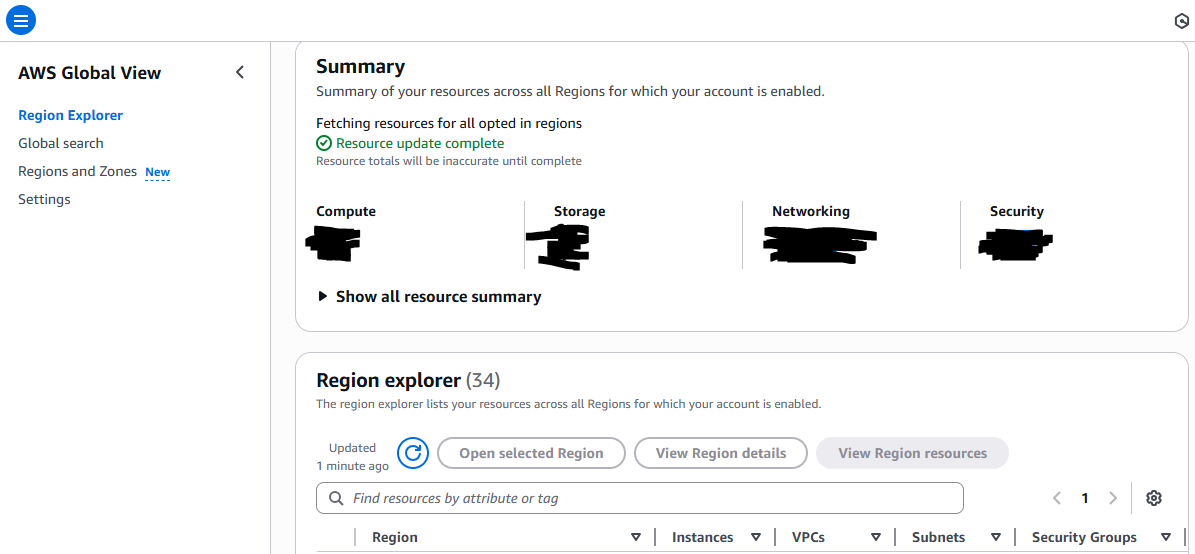
EC2 Global View is a tool where you lets you see and manage your EC2 and VPC resources across all AWS Regions from a single dashboard. Instead of switching between Regions to track your resources, this view gives you a single view at everything you have running, which is super useful for multi-region deployments. I could even narrow down my search by resource type. Without EC2 Global View, you'd have to cycle through all the regions in which your solution is deployed.
Tracking VPC Resources with EC2 Global View
I created an additional VPC, an internet gateway, and a security group. Instead of my usual region, I used a different region to replicate real-world application deployments for applications that operate globally. Teams would use multiple regions to improve latency for their end users, which means applications run faster because resources are physically closer to the users' location. Additionally, protect themselves from natural disasters and other risks - if one Region experiences an outage, other Regions can maintain operation.
EC2 Global View is a tool where you lets you see and manage your EC2 and VPC resources across all AWS Regions from a single dashboard. Instead of switching between Regions to track your resources, this view gives you a single view at everything you have running, which is super useful for multi-region deployments. I could even narrow down my search by resource type. Without EC2 Global View, you'd have to cycle through all the regions in which your solution is deployed.