Build an AWS Virtual Private Cloud
Introducing Today's Project!
In this project, I will demonstrate how to set up and manage a virtual private cloud (VPC). This is a vital skill for mastering cloud infrastructure. With a VPC, you can design subnets, traffic rules, and security measures to control how cloud resources connect and work together.
Virtual Private Clouds (VPCs)
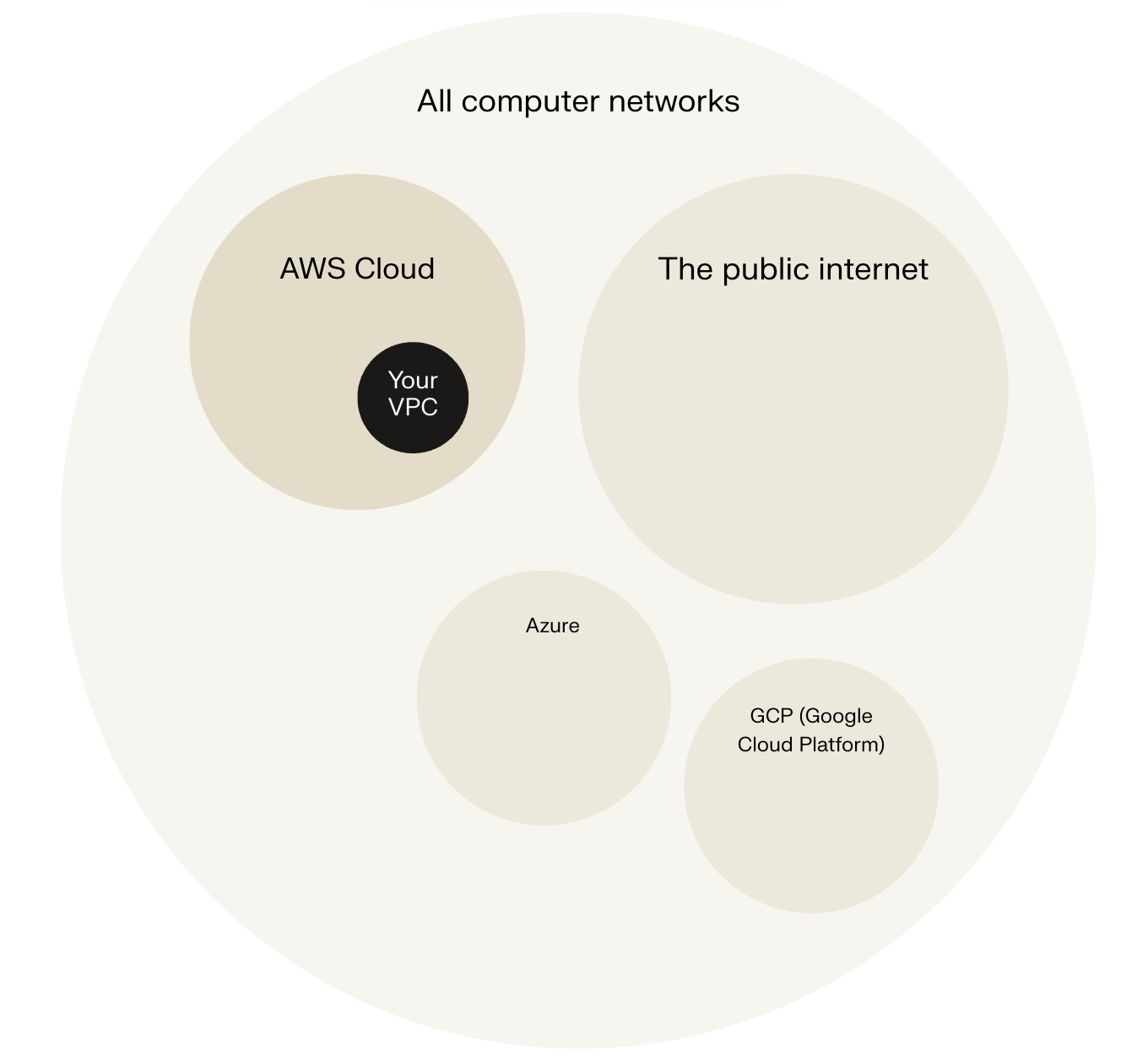
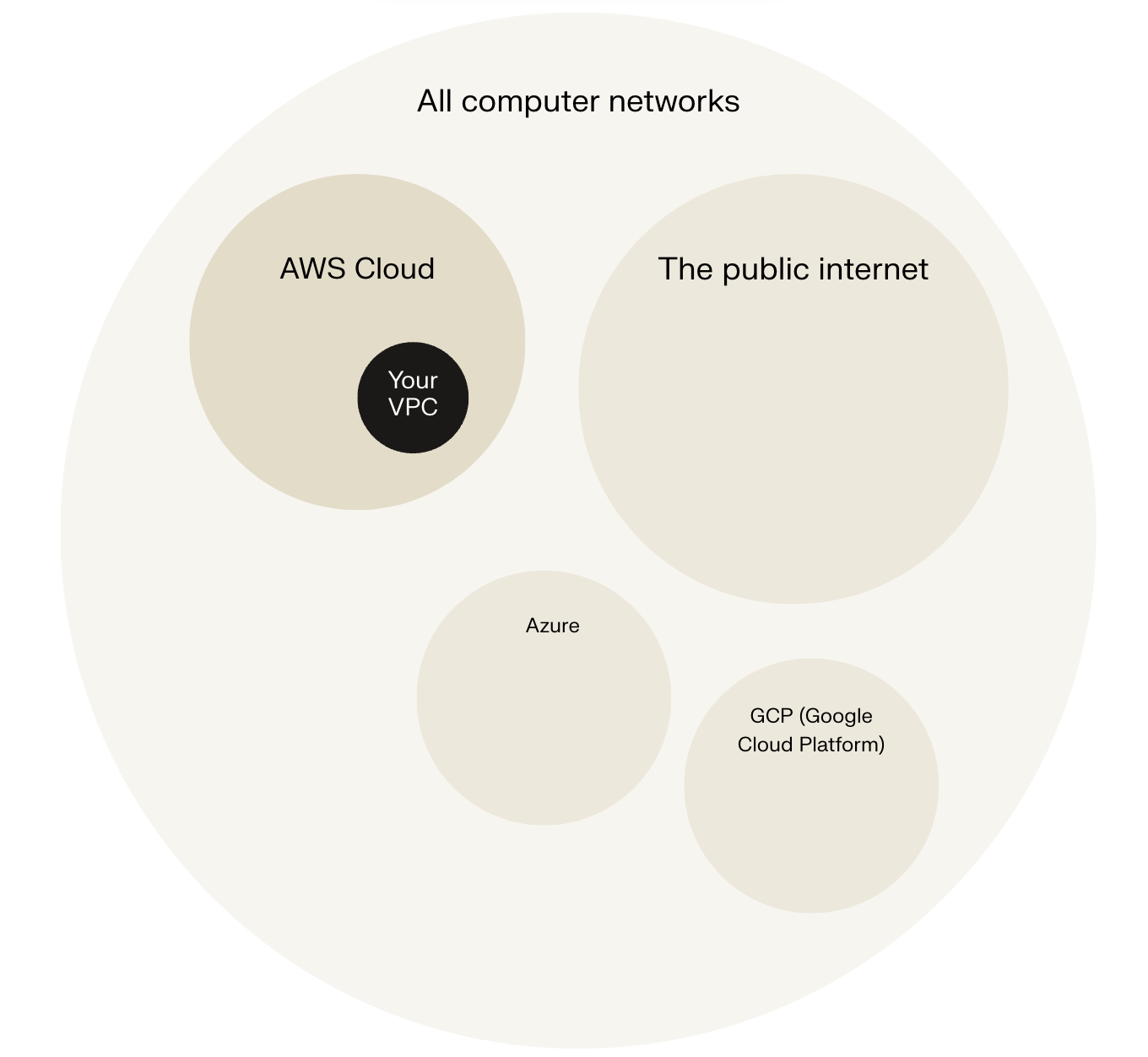
A Virtual Private Cloud (VPC) is like your own private city inside that country. You can design neighbourhoods (known as subnets, which you'll learn about in this project), traffic rules, and security measures to control how resources, like EC2 instances and databases, connect and work together.
A VPC isn't the same thing as the internet. While the internet is an open, public space that everyone can access, a VPC is private and isolated from the internet by default. Being 'online' simply means being connected to a network that lets you communicate and exchange data with other people or servers.
Why there is a default VPC in AWS accounts?
There was already a default VPC in my account ever since my AWS account was created. This is because the default VPC allows us to launch resources (e.g. EC2 instances) and connect services together from Day 1 of using AWS. If it didn't exist, you would've had to learn how to create a VPC before you can use some of the services that need VPCs to function.
Defining IPv4 CIDR blocks
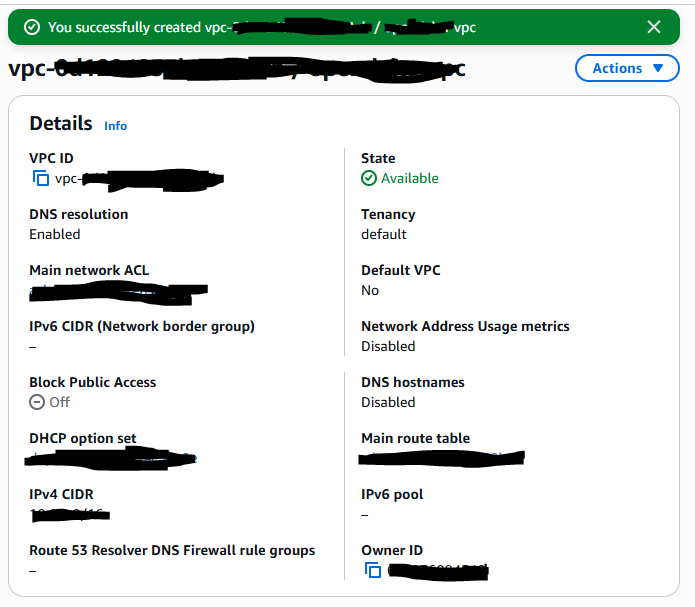
To set up my VPC, I had to define an IPv4 CIDR block, which is a way to assign a whole block of IP addresses. An IP address is like a unique street address or coordinates for the resources in the VPC. These resources would use IP addresses to identify other resources and communicate/exchange data.
Subnets
Subnets are subdivisions in the VPC and are used to demarcate where certain resources live and operate. These subnets group resources with similar access rules and restrictions. Some subnets might be public areas that all resources can access (public subnets) while others are private areas with limited access (private subnets). There are already subnets existing in my account, one for every availability zone in my AWS region.
Public vs private subnets
The difference between public and private subnets is that a public subnet is connected to the internet and resources inside a public subnet can communicate with external networks while a private subnet does not have direct access to the internet and is used for resources that are shielded from public reaching it. For a subnet to be considered public, it has to have access to the internet and this is done using an internet gateway.
Auto-assigning public IPv4 addresses
Once I created my subnet, I enabled auto-assign public IPv4 addresses. This setting makes sure resources launched within this public subnet have a public IPv4 address so that they can be publicly accessible and saves time by not having to create one manually.
Internet gateways
Setting up internet gateways
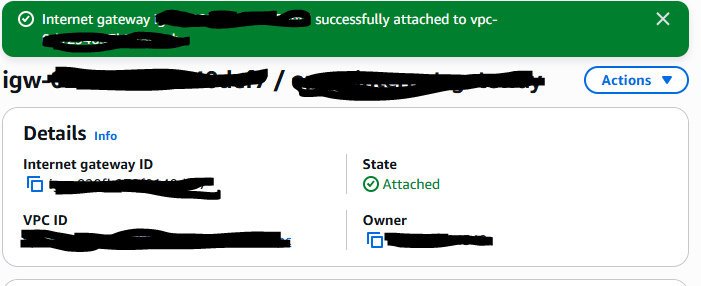
Internet gateways are key to making applications available on the internet. By attaching an internet gateway, your instances can access the internet and be accessible to external users.
Attaching an internet gateway means resources in your VPC can now access the internet. The EC2 instances with public IP addresses also become accessible to users, so your applications hosted on those servers become public too. If I missed this step, resources within the public subnet would not be able to access the internet.
In this project, I used Amazon VPC to create a private cloud space and created a subnet within the VPC that has access to the internet.